LNB Technology & Troubleshooting: Your Complete Guide to Satellite TV Reception
**LNB Technology & Troubleshooting: Your Complete Guide to Satellite TV Reception**
**Meta Description:** Master LNB technology and troubleshoot common satellite signal issues with our expert guide. Optimize your satellite TV reception for crystal-clear viewing.
—
**Introduction: The Unsung Hero of Your Satellite Dish**
In the world of satellite television, while the dish itself often grabs the spotlight, the true workhorse silently making your entertainment possible is the LNB – the Low Noise Block downconverter. This small, yet mighty device is critical for capturing the faint signals beamed from satellites orbiting thousands of miles above Earth and converting them into a format your receiver can understand. Without a properly functioning LNB, your satellite TV experience can quickly turn into a frustrating array of “No Signal” messages or pixelated screens.
Whether you’re a seasoned satellite enthusiast or new to the world of dish installation, understanding LNB technology and how to troubleshoot common issues is essential for optimal performance. This comprehensive guide will demystify the LNB, explain its vital role, delve into different types, and provide practical troubleshooting steps to ensure you enjoy uninterrupted, high-quality satellite TV.
—
**What Exactly is an LNB?**
An LNB is an electronic component mounted on the feed arm of a satellite dish, typically positioned at the focal point of the dish’s reflector. Its primary function is twofold:
1. **Low Noise Amplification:** It takes the extremely weak microwave signals (often in the GHz range) reflected by the satellite dish and amplifies them significantly, all while adding minimal noise. This low-noise amplification is crucial because the satellite signals are very faint by the time they reach Earth.
2. **Block Downconversion:** After amplification, the LNB converts these high-frequency satellite signals into a much lower frequency range, known as an intermediate frequency (IF). This lower frequency is easier to transmit through standard coaxial cables to your indoor satellite receiver or set-top box without significant signal loss.
Think of the LNB as the “ear” of your satellite system, listening intently for distant whispers and translating them into a language your TV can understand.
—
**How LNBs Work: A Closer Look**
The process within an LNB involves several key stages:
* **Waveguide Horn:** The parabolic dish focuses the satellite signals onto the LNB’s feed horn, which collects these electromagnetic waves.
* **Polarizer:** Satellite signals are often transmitted with different polarizations (horizontal or vertical, or right-hand/left-hand circular). A polarizer within the LNB separates these signals, ensuring your receiver gets the correct one.
* **Low Noise Amplifier (LNA):** This is the first and most critical amplification stage. The LNA boosts the weak signal without introducing much electronic noise, which would degrade the signal quality. The “noise figure” (NF) of an LNB indicates how much noise it adds; lower NF values (e.g., 0.1dB, 0.3dB) are better.
* **Mixer:** The amplified signal is then mixed with a stable, high-frequency signal generated by a local oscillator (LO) within the LNB. This mixing process produces the intermediate frequency (IF) signal.
* **Intermediate Frequency Amplifier:** Finally, the IF signal is further amplified before being sent down the coaxial cable to your receiver.
The precise local oscillator frequency determines the output IF range, allowing a wide band of satellite frequencies to be “downconverted” to a narrower, more manageable range for your receiver.
—
**Types of LNBs: Choosing the Right One**
LNBs come in various configurations, each designed for specific needs and satellite systems:
* **Universal LNB (Single/Twin/Quad/Octo):**
* Most common type for European satellite systems (e.g., Astra, Eutelsat).
* Capable of receiving both horizontal and vertical polarizations and switching between high and low bands.
* “Single” provides one output for one receiver, “Twin” for two, “Quad” for four, and “Octo” for eight.
* **Monoblock LNB:**
* Integrates two or more LNBs into a single unit, specifically designed for receiving signals from two (or more) satellites that are very close together (e.g., Astra 19.2°E and Hotbird 13°E) with a single dish.
* Includes a built-in DiSEqC switch to select between satellites.
* **Ku-Band LNB:**
* Designed for the Ku-band frequency range (10.7 – 12.75 GHz), prevalent for direct-to-home (DTH) satellite TV services worldwide.
* Universal LNBs are a type of Ku-band LNB.
* **C-Band LNB:**
* Used for the lower C-band frequency range (3.4 – 4.2 GHz).
* Typically found on larger, older dishes, often for commercial or specific regional broadcasts.
* **Unicable LNB (SCR/dCSS):**
* Stands for Single Cable Routing. Allows multiple satellite receivers to be connected to a single coaxial cable, eliminating the need for multiple cables from the LNB.
* Each receiver is assigned a specific user band frequency. Ideal for multi-room installations or apartments with existing single-cable wiring.
* **Wideband LNB:**
* Newer type of LNB designed to receive a wider frequency range, typically used with dCSS multiswitches for advanced multi-tuner systems.
—
**Factors Affecting LNB Performance**
Several factors can impact your LNB’s ability to deliver a clear signal:
* **Weather Conditions:** Heavy rain, snow, or thick cloud cover can attenuate (weaken) the satellite signal, leading to temporary signal loss or degradation.
* **Obstructions:** Trees, buildings, or any other physical objects blocking the line of sight between your dish and the satellite will severely impact reception.
* **LNB Age and Wear:** Over time, exposure to UV radiation, extreme temperatures, and moisture can degrade the LNB’s internal components, reducing its performance.
* **Dish Alignment:** Even a slight misalignment of the satellite dish can significantly reduce the signal strength reaching the LNB.
* **Cable Quality and Length:** Poor quality, damaged, or excessively long coaxial cables can lead to signal loss between the LNB and the receiver.
* **Connectors:** Loose, corroded, or improperly installed F-connectors can introduce signal leakage and loss.
* **Interference:** Terrestrial signals (e.g., 5G cellular, Wi-Fi) or electrical interference can sometimes interfere with LNB operation, especially with older LNBs.
—
**Common LNB Problems**
Recognizing the symptoms of LNB issues is the first step towards a solution:
* **”No Signal” Message:** The most common symptom, indicating a complete lack of signal.
* **Pixelation, Freezing, or Tiling:** Intermittent signal loss or weak signal, causing the picture to break up.
* **Loss of Specific Channels/Transponders:** If only certain channels or an entire frequency band is missing, it might point to a polarization or band switching issue within the LNB or receiver.
* **Signal Strength Fluctuations:** Signal levels that constantly jump up and down without apparent cause.
* **Complete Loss of All Channels:** Often indicative of an LNB failure, severe dish misalignment, or a major cable problem.
* **LNB Corrosion/Physical Damage:** Visible cracks, water ingress, or rust on the LNB body.
—
**LNB Troubleshooting Guide: Step-by-Step Solutions**
Before calling a professional, try these troubleshooting steps. Safety first – if you need to access your dish, ensure you can do so safely.
**1. Check the Obvious & Basic Connections:**
* **Weather:** Is it raining or snowing heavily? Wait for conditions to improve.
* **Obstructions:** Look for new tree growth or structures blocking the line of sight between your dish and the satellite.
* **Cable Connections:** Ensure all F-connectors are tight and secure at both the LNB and receiver ends. Look for any visible damage to the coaxial cable.
* **Receiver Power:** Is your satellite receiver powered on and correctly selected as the input source on your TV?
* **Receiver Settings:** Check your receiver’s menu for the correct satellite and LNB type settings.
**2. Inspect the LNB Physically:**
* **Visual Damage:** Carefully inspect the LNB for cracks, water ingress, or corrosion. Any visible damage suggests a faulty LNB.
* **Moisture:** Look for moisture inside the LNB cap or around the F-connector.
* **Mounting:** Ensure the LNB is securely mounted in the feed arm and hasn’t shifted or rotated.
**3. Check Signal Strength and Quality:**
* Access your satellite receiver’s “Signal Strength” or “Installation” menu.
* **No Signal/Very Low Signal:**
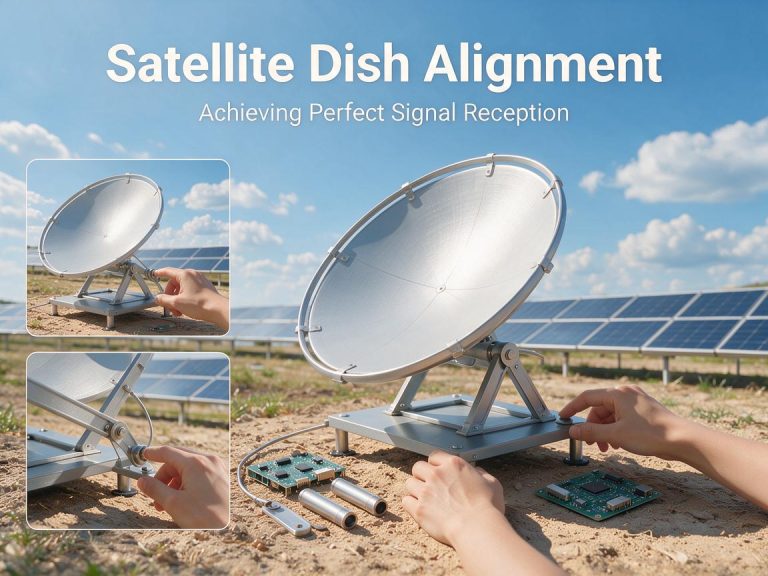
* **Dish Alignment:** This is the most common cause. Even a tiny adjustment can make a huge difference. If you have an adjustable mount, try making very small, incremental adjustments to the dish’s elevation and azimuth (horizontal direction) while monitoring the signal meter on your TV. A satellite finder tool can greatly assist this process.
* **LNB Skew:** The LNB might need to be rotated slightly in its holder to optimize for polarization. Make small rotations and check signal quality.
* **LNB Fault:** If alignment checks yield no improvement, and cables are fine, the LNB might be faulty.
* **Good Strength, Poor Quality (Pixelation):**
* **Interference:** Try temporarily disconnecting any new electronic devices near your dish or cables.
* **LNB Noise:** The LNB might be adding too much noise. This often indicates internal degradation.
* **Loose Connections:** Re-check all F-connectors thoroughly.
**4. Test with a Known Good LNB (If Available):**
* If you have a spare LNB or can borrow one, temporarily replace your existing LNB. If the signal returns or improves, your original LNB was likely faulty.
**5. Cable Continuity Test (Advanced):**
* Using a multimeter, you can check the continuity of your coaxial cable. Disconnect both ends, and if there’s no continuity, the cable is broken. Also, ensure there isn’t a short circuit between the inner conductor and the braid.
**6. Power to the LNB:**
* The satellite receiver supplies power to the LNB through the coaxial cable. If the receiver isn’t supplying power (check receiver settings or try a different receiver), the LNB won’t function. Some receivers have a setting to enable/disable LNB power.
—
**Maintenance Tips for Your LNB**
A little care can significantly extend the life of your LNB:
* **Regular Visual Inspection:** Periodically check the LNB for any physical damage, cracks, or corrosion, especially after severe weather.
* **Secure Connections:** Ensure all F-connectors are tight and weatherproofed (using self-amalgamating tape or silicone grease).
* **Clear Line of Sight:** Trim any tree branches or vegetation that may grow to obstruct the dish’s view.
* **Avoid Physical Impact:** Be careful not to bump or hit the LNB or dish.
* **Quality Components:** When replacing, invest in a good quality LNB with a low noise figure and robust construction.
—
**Choosing the Right LNB for Your Setup**
When selecting a new LNB:
* **Satellite Compatibility:** Ensure it’s compatible with the satellite(s) you wish to receive (e.g., Ku-band for most DTH).
* **Number of Receivers:** Choose a Single, Twin, Quad, or Octo LNB based on how many independent receivers you need to power.
* **Noise Figure:** Opt for the lowest possible noise figure (e.g., 0.1dB) for the best signal quality, especially in areas with weaker signals.
* **Multi-Satellite Reception:** Consider a Monoblock LNB if you aim to receive multiple closely spaced satellites with one dish.
* **Single Cable Solution:** For multi-room setups with one cable, a Unicable (SCR/dCSS) LNB is ideal.
* **Weather Resistance:** Look for models with good weather sealing and durable housing.
—
**Conclusion: Crystal Clear Reception, Every Time**
The LNB, though small, is indisputably one of the most vital links in your satellite TV chain. Understanding its function, recognizing common problems, and knowing how to troubleshoot them empowers you to maintain a reliable and high-quality viewing experience. By following this guide, you can confidently diagnose and often resolve LNB-related issues, ensuring your satellite TV system operates at its peak.
—
**Take Your Satellite TV Experience to the Next Level!**
Experiencing persistent LNB issues, or looking to upgrade your satellite TV setup? Our powerful **satellite TV software** can help you:
* **Fine-tune Dish Alignment:** Use advanced signal meters and tools for precise dish and LNB positioning.
* **Analyze Signal Quality:** Get detailed insights into your signal strength, quality, and LNB performance.
* **Manage Channels & Transponders:** Easily scan, organize, and update your channel list.
* **Discover New Satellites:** Explore available satellites and plan your optimal reception.
**Download our software today and unlock the full potential of your satellite TV system! Visit [YourWebsiteLinkHere.com/download](https://www.satellitetvsoftware.com/download) to learn more and get started!**